Rental fleets
Know how many hours each unit ran, where it is and whether it came back with a fault, before the next customer takes it.
J1939 DISPLAY + FLEET CLOUD
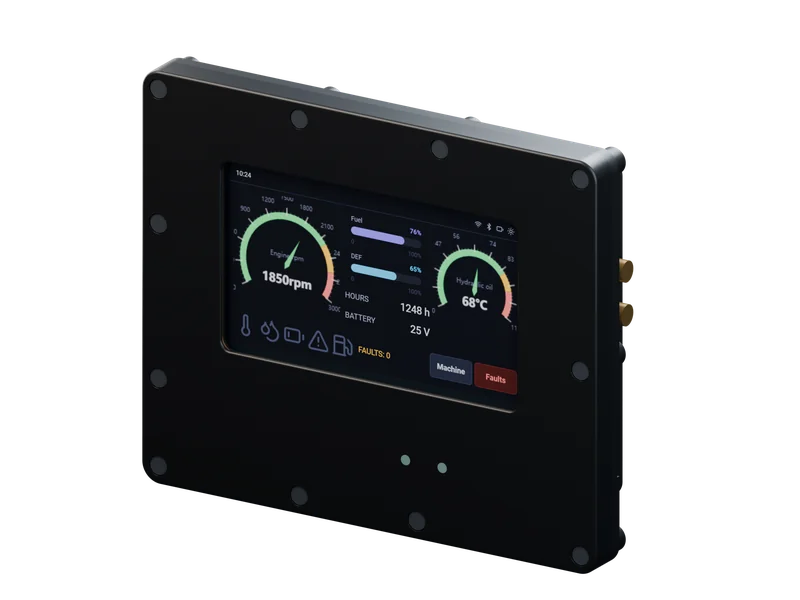
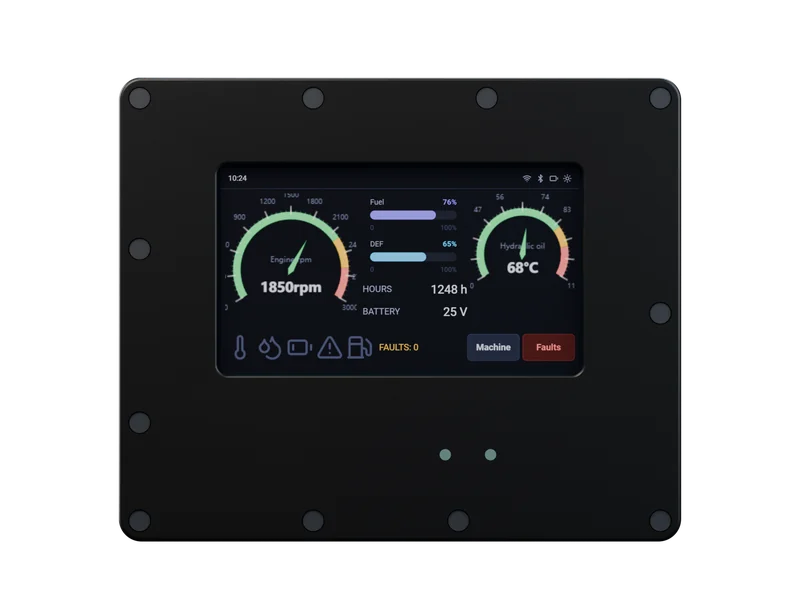
ThreVox is a rugged touchscreen display for loaders, telehandlers, tractors and other heavy equipment. It shows the operator what matters, explains warnings in plain words and keeps working with no signal. When you want it, the same display puts your whole fleet on one screen in the office.
01 WHO IT IS FOR
Know how many hours each unit ran, where it is and whether it came back with a fault, before the next customer takes it.
Operators get clear warnings and do the daily pre-start check on the screen. Supervisors see which machine was run, when, and by whom.
Long days out of coverage are normal. The display keeps recording and sends the full history once the tractor is back in range.
Give your machines their own screen designs without writing display software, and put your logo and domain on the fleet dashboard. Or license the firmware for your own hardware.
02 ON THE MACHINE
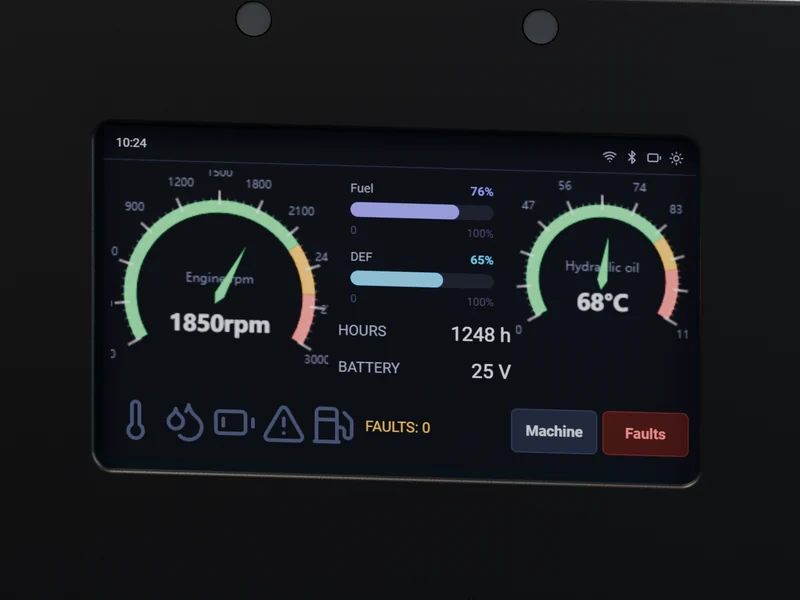
Gauges, warning lights and fault codes come straight from the machine's own computers. When something goes wrong, the display says what it is in words, not just a code number.
Example screen · 4.3" · 480 × 272
03 IN THE OFFICE
Connect the displays and your office sees every machine live: where it is, what it is doing and which ones need attention today.
04 ON YOUR PHONE
The ThreVox app for Android and iPhone talks to the display over Bluetooth, so anyone standing next to the machine can read it with no network and no account. With a connected fleet, the same app shows every machine and alerts you wherever you are.
05 SCREEN DESIGNER
Other displays need a programmer, special software and a technician on site to change one gauge. With ThreVox you drag gauges onto a screen, connect each one to a reading from the machine, and send the result to one unit or the whole fleet.
06 HOW IT WORKS
Mount the display in the cab and connect it with one harness to power and the machine's J1939 connector, the same data line a dealer's diagnostic tool uses.
Start from a ready-made screen or design your own in the browser, then load it over the air or from a laptop over USB.
Choose the C43C, which has its own cellular link, and the readings flow to your dashboard, your phone and your own software. Take the cloud away again and the machine loses nothing.
The display decodes SAE J1939 on the device: PGN and SPN decode, DM1/DM2 faults, transport-protocol reassembly and address claiming, with bounded buffers. Connected units publish over per-tenant MQTT (QoS 1, mutual TLS) into a Kafka pipeline, and your systems read the result as versioned REST, live server-sent events or an AEMP / ISO 15143-3 feed. Screen designs ship as signed binaries that commit atomically and roll back on failure. Errors follow RFC 7807, writes take idempotency keys and every public surface has an OpenAPI spec.
07 HARDWARE
Both models read the machine the same way and run the same screens. Pick the C43 for machines that stay offline, or the C43C to put the fleet online.
TVX-C43
The display on its own, with Bluetooth for the phone app. Runs Tier 1.
TVX-C43C
Everything in the C43, plus a cellular modem and GPS. Needed for Tier 2 and Tier 3.
The C43 and C43C are designed and not yet in production. Figures marked as design targets are confirmed by testing before the units go on sale.
| Screen | 4.3" color touchscreen, 480 × 272, capacitive |
|---|---|
| Machine connection | Two CAN channels for SAE J1939, plus manufacturer messages from DBC files |
| Connector | 8-pin sealed automotive connector (Deutsch DT compatible): power, ignition, ground, spare input and two CAN pairs |
| Power | 12 V and 24 V systems (8 to 32 V operating), wakes with the ignition; under 100 µA with the ignition off (design target) |
| Spare input | One protected input, 0 to 32 V, with a switchable pull-up: analog sensors, senders and switches |
| Wireless | Bluetooth LE (both models). LTE Cat 1bis cellular and GPS (C43C) |
| Security | Signed updates verified on the unit; secure element for its credentials (C43C) |
| Service port | USB-C: history download, updates and a service console |
| Also on board | Ambient light sensor, status light and a buzzer for alarms |
| Screen languages | English and Spanish |
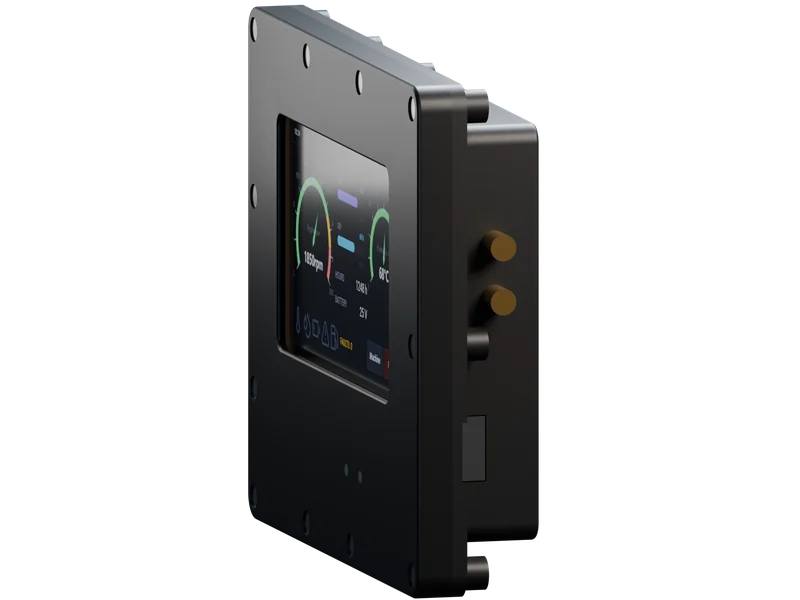
| Enclosure | 149 × 123 × 33 mm, ASA plastic, gasket sealed |
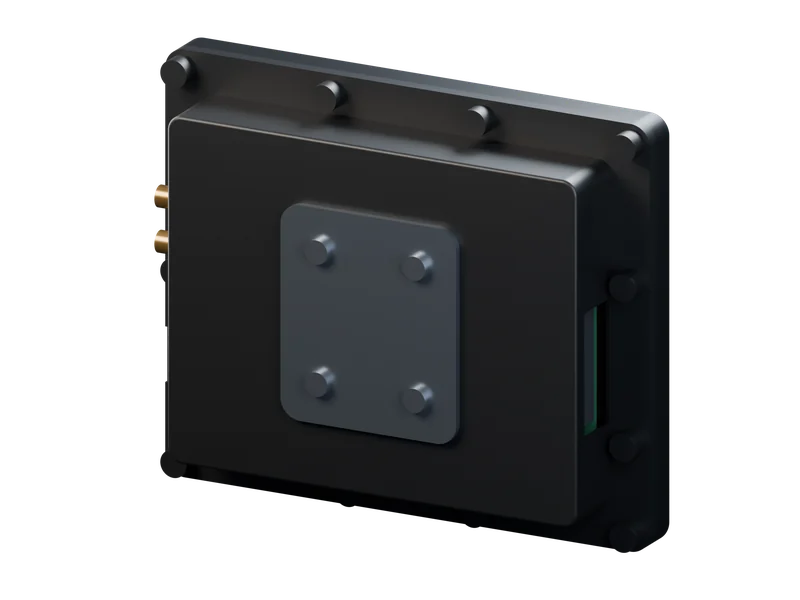
| Mounting | AMPS hole pattern on the back, for RAM-style mounts |
| Sealing | IP65 (design target) |
| Operating temperature | -30 to +85 °C (design target) |
| Environmental tests | Vibration, shock, climate and chemical resistance to ISO 16750 (design target) |
08 PRICING
Each plan is the one before it plus one layer, and every layer below keeps working if the ones above go away. Prices are published and checkout needs no sales call. Hardware is sold country by country, as its certification for that country is granted.
TIER 1
Runs on C43 or C43C
The display on its own. Reads the machine and shows gauges, warning lights and fault codes. Never needs a connection.
TIER 2
Needs the C43C (cellular)
Tier 1, plus a secure cloud connection and an API. Your own software receives the data; we never see your dashboards.
TIER 3 · FULLY MANAGED
Needs the C43C (cellular)
Everything in Tier 2, plus the ThreVox fleet dashboard, run for you.
| Feature | Tier 1 | Tier 2 | Tier 3 |
|---|---|---|---|
| Display model | C43 or C43C | C43C | C43C |
| On the machine | |||
| Gauges, warning lights and fault codes in plain words | Included | Included | Included |
| Screen designer and your own layouts | Included | Included | Included |
| Rules and the spare sensor input | Included | Included | Included |
| Pre-start checks and operator sign-in | Included | Included | Included |
| Report a problem from the cab | Included | Included | Included |
| Engine hours and history over USB | Included | Included | Included |
| Phone app over Bluetooth | Included | Included | Included |
| Connected | |||
| Live readings and faults through the API | Not included | Included | Included |
| Fleet export (AEMP / ISO 15143-3) | Not included | Included | Included |
| Screen and firmware updates over the air | Not included | Included | Included |
| Alerts: site boundary, after hours, faults and limits | Not included | Included | Included |
| Phone app: fleet, faults, location and notifications | Not included | Included | Included |
| History kept in the cloud | Not included | 90 days | 90 days |
| Fleet dashboard | |||
| Live map with readings and faults | Not included | Not included | Included |
| Predictive maintenance | Not included | Add-on | Included |
| Remote diagnostics captures | Not included | Not included | Included |
| Service intervals, work orders and utilization | Not included | Not included | Included |
| Inspection records and fleet reports | Not included | Not included | Included |
| Staged updates with one-click rollback | Not included | Not included | Included |
| Users and roles for your team | Not included | Not included | Included |
| Add-ons | |||
| 13 months of history | Not included | Add-on | Add-on |
| Higher API limits | Not included | Add-on | Add-on |
| Priority support | Not included | Add-on | Add-on |
| Single sign-on with your own identity provider | Not included | Not included | Add-on |
| Your logo, colors and domain on the dashboard | Not included | Not included | Add-on |
09 SECURITY AND RELIABILITY
Every update is signed and checked on the display before it is used. If one is damaged, or the power is cut halfway through, the display keeps the last version that worked.
Each customer's machines and data are walled off from every other customer's, and that is enforced on our servers, not just hidden in the app. Every display carries its own credentials and cannot reach another fleet.
Every public interface is documented, and we publish how to report a security issue and what we commit to when you do. Read the security policy.
10 QUESTIONS
If the machine has a J1939 data connection, very likely. J1939 is the data standard used by most modern diesel engines in trucks, construction and farm machinery. Brands that add their own messages can still be read: the screen designer imports the manufacturer's message definitions (DBC files). If you are unsure, write to us with the make and model.
The C43 if your machines stay offline: it runs everything on the machine, plus the phone app over Bluetooth (Tier 1). The C43C adds a cellular modem and GPS, and is the one for Tier 2 and Tier 3. Both read the machine the same way and run the same screens.
No. Everything on the display works with no connection at all. The cloud is an optional extra for seeing your machines from the office or your phone.
The machines carry on exactly as before. Connected displays keep recording and send their readings once the link is back, so your history has no gap.
It uses machine learning to find what normal looks like for each machine, from its own readings while it is working, and flags readings that drift away from that. It also estimates how many engine hours remain before a reading reaches its limit. It is included in Tier 3 and available as an add-on for Tier 2, and it supports your mechanics' judgement rather than replacing it.
Yes. Design screens in the browser and send them over the air, or load them from a laptop over USB. No programming and no site visit.
It mounts in the cab and connects with one harness to power and the machine's J1939 connector. The harness and a mounting kit are offered as accessories.
Every price is published in the store and calculated for your country, with taxes shown. Hardware is sold country by country once it is certified there; where it is not yet, the store puts you on the waitlist. To evaluate it on your own machines sooner, ask us about a pilot unit.
NEXT TRY IT
Open the live dashboard demo, no sign-up needed. When you want to see the display on your own equipment, against your own J1939 buses, ask us about a pilot unit.